Program Fit
Match services to the role and location.

Occupational Screening
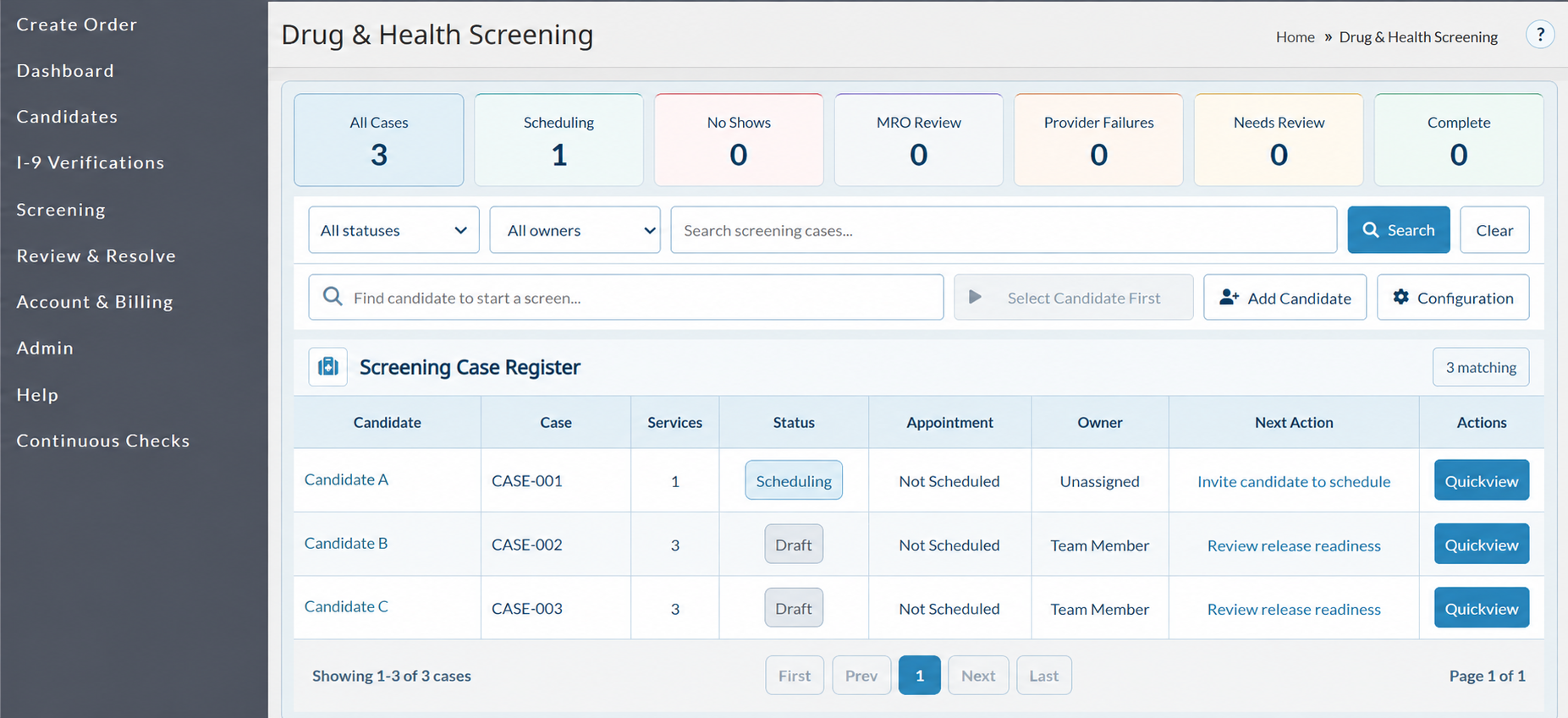
Coordinate candidate scheduling, clinic activity, status updates, and completed results in one platform.
Match services to the role and location.
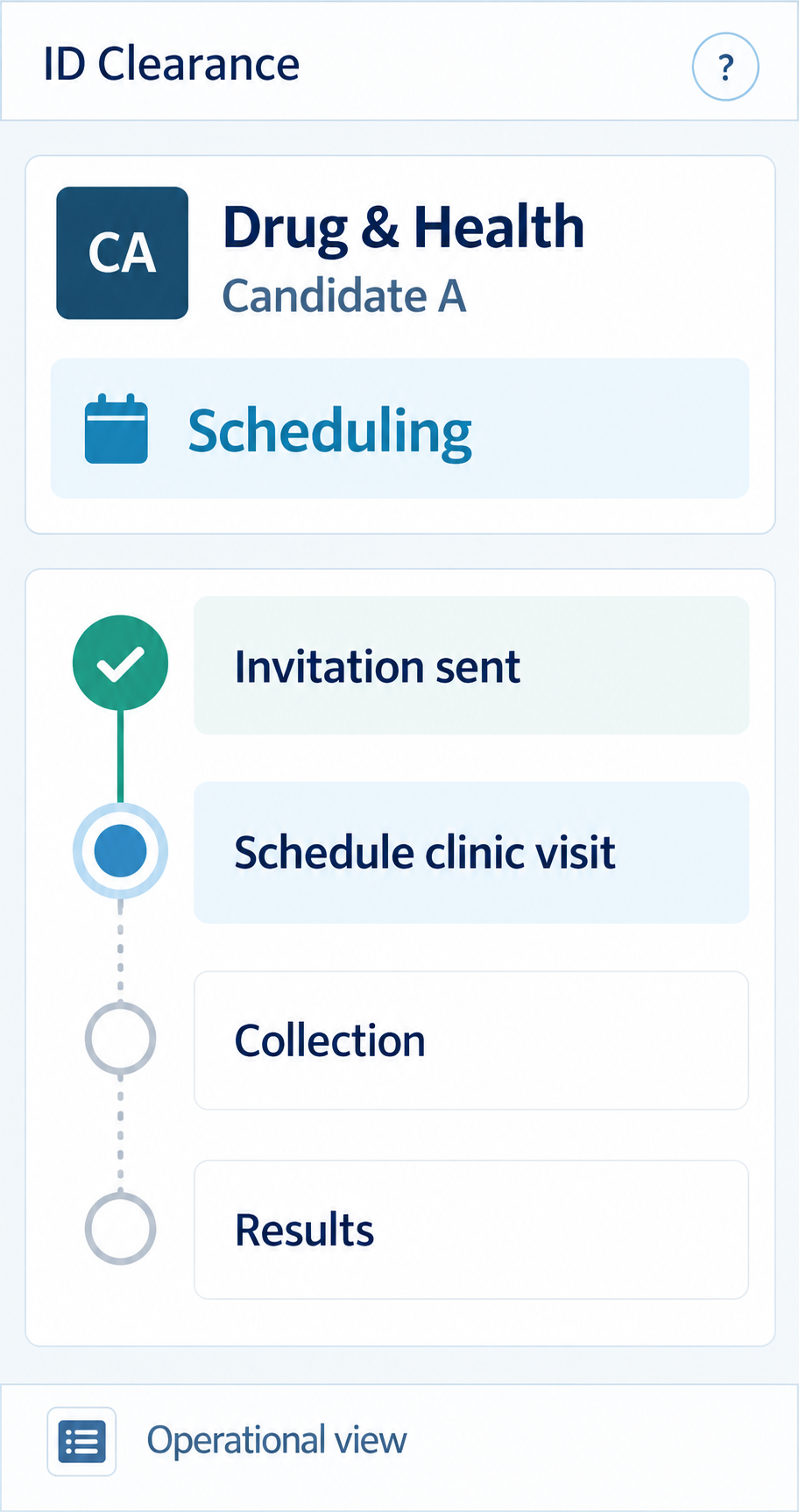
Connect the invitation and clinic visit.
See status, owner, and next action.
Keep restricted clinical details out of Quickview.
Service Options
Choose a service category, then confirm the test, location, and program requirements with IDC before ordering.
Build Your Screening Program →Set the panel and collection requirements for your role and workplace policy.
Confirm the test method, timing, and collection-site availability for your program.
For covered roles, confirm the applicable DOT program and required testing process before ordering.
Coordinate physicals and role-related fitness requirements where the service is available.
Connect the order, appointment, collection status, and result to the broader screening workflow.
Support common testing programs based on role and policy.
Coordinate physicals and role-specific health services.
Help candidates identify a practical collection location.
Track scheduled, collected, pending, and completed steps.
Program Fit
Match drug testing or a role-related health service to the position and location.
Explore services →Discuss DOT drug and alcohol requirements only for roles covered by the applicable program.
Review DOT options →Coordinate policy-based testing and scheduled workforce requirements.
Explore Continuous Checks →Candidate Experience
From invitation to clinic visit, candidates can review the service, location, and instructions in one place.
Review the requested service and next steps.
Find an available site for the assigned service.
Check identification and appointment requirements.
Complete collection or the scheduled health service.
Review your assigned service and follow the next steps.
Find a location that offers your assigned screening service.
Review what to bring before attending your screening.
Keep your location and visit details together for check-in.
Choose the service for the role, confirm the program requirements, and send the candidate invitation.
The candidate follows the location and visit instructions, then completes the assigned screening.
Review released results and resolve the next action.
Results & Follow-Up
No-shows, provider issues, MRO review, and released results each call for a different next step.

Filter by status or owner and search for a screening case.
Identify the person responsible for each case.
Open Candidate Quickview to see the current task.
IDC coordinates non-DOT drug testing, DOT program requirements where applicable, alcohol testing, and occupational-health services. Confirm the specific panel or examination and location before ordering.
Available locations depend on the assigned service. Candidates should use the location and appointment options provided with their request and confirm the site performs that service.
Timing depends on scheduling, collection, laboratory processing, and any additional review. A completed visit is not the same as a released result.
Contact IDC or the provider promptly to confirm whether a new appointment or authorization is needed. A missed visit is not automatically rebooked.
Authorized users can follow case status and review results when released. Candidate Quickview shows operational progress without restricted clinical details.
Pricing depends on the services selected, locations, and expected order volume. Request a program quote.